IOM, UN Migration | June 2024
Introduction
IOM’s Displacement Tracking Matrix (DTM) conducts two major surveys with adult refugees in the Ukraine response region amid the ongoing Russo-Ukrainian war. They sought to create a dashboard that would visualise the data from these surveys for humanitarian aid workers influential to the region.
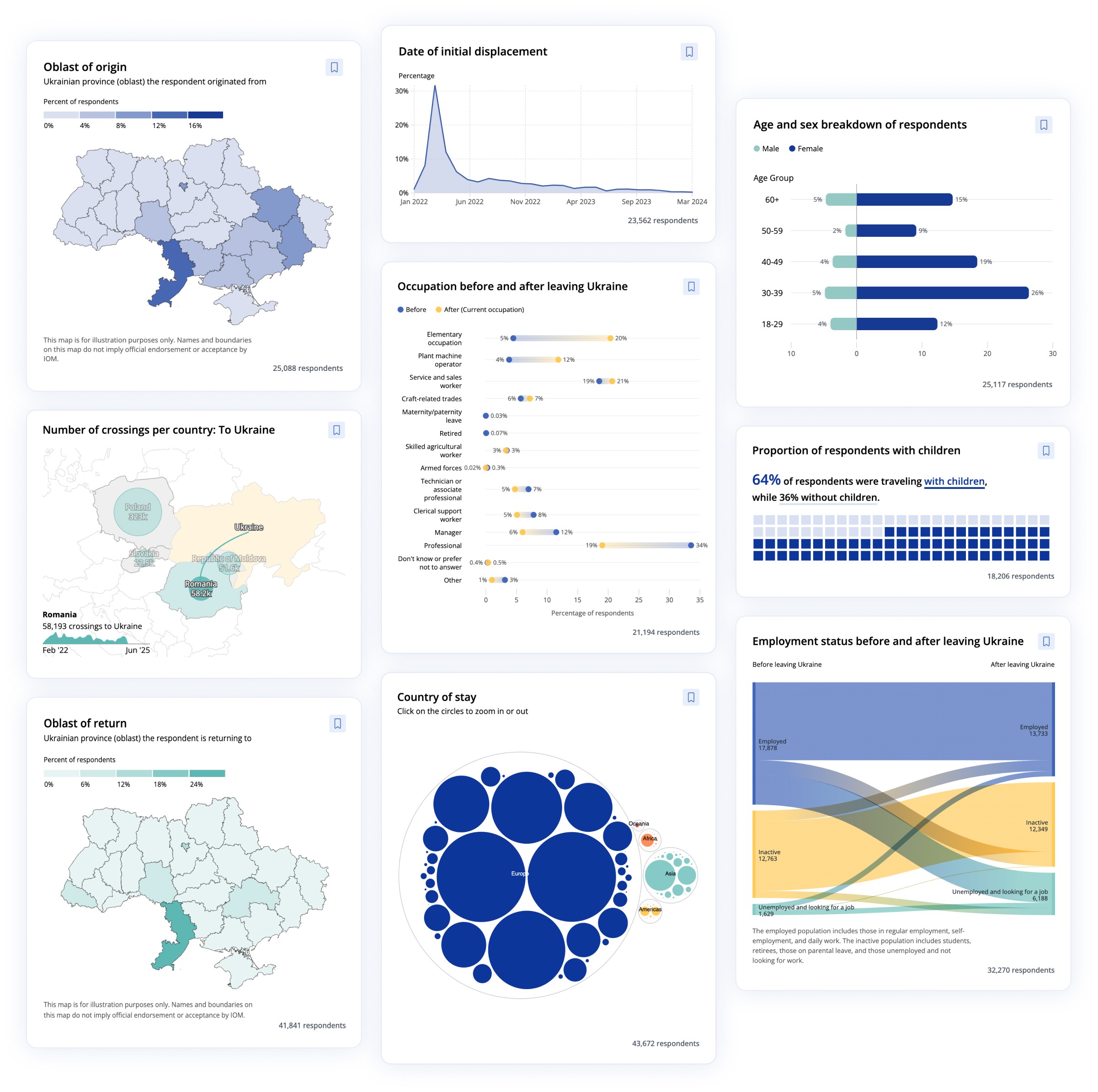
We at Revisual Labs combined three existing PowerBI dashboards into one custom dashboard with more intuitive visualisations, elevated functionality, and newly integrated data.
The Brief
The project was relatively extensive in scope—it involved significant restructuring of three extant PowerBI dashboards created by the client, and required new survey data to be visualised and integrated into the dashboard.
The dashboard was meant to showcase the needs, intentions, challenges, and border crossings of Ukrainians and third-country nationals (TCNs), allowing users to easily access, filter, and export visualisations for humanitarian aid and relief.
Design
Our discovery process started with a UX and data audit of the client’s existing PowerBI dashboards, clubbed with a questionnaire to understand the client’s needs for the new dashboard. We synthesised input from the questionnaire to map out user flows, define all required functionalities, and establish the ideal information architecture.
Upon completing the discovery process, we moved into high-fidelity design work, which involved an extensive data visualisation process for existing and new data, chart styling, coding custom charts, high-fidelity UI design, followed by continuous improvements and added enhancements until delivery.
Data Visualisation
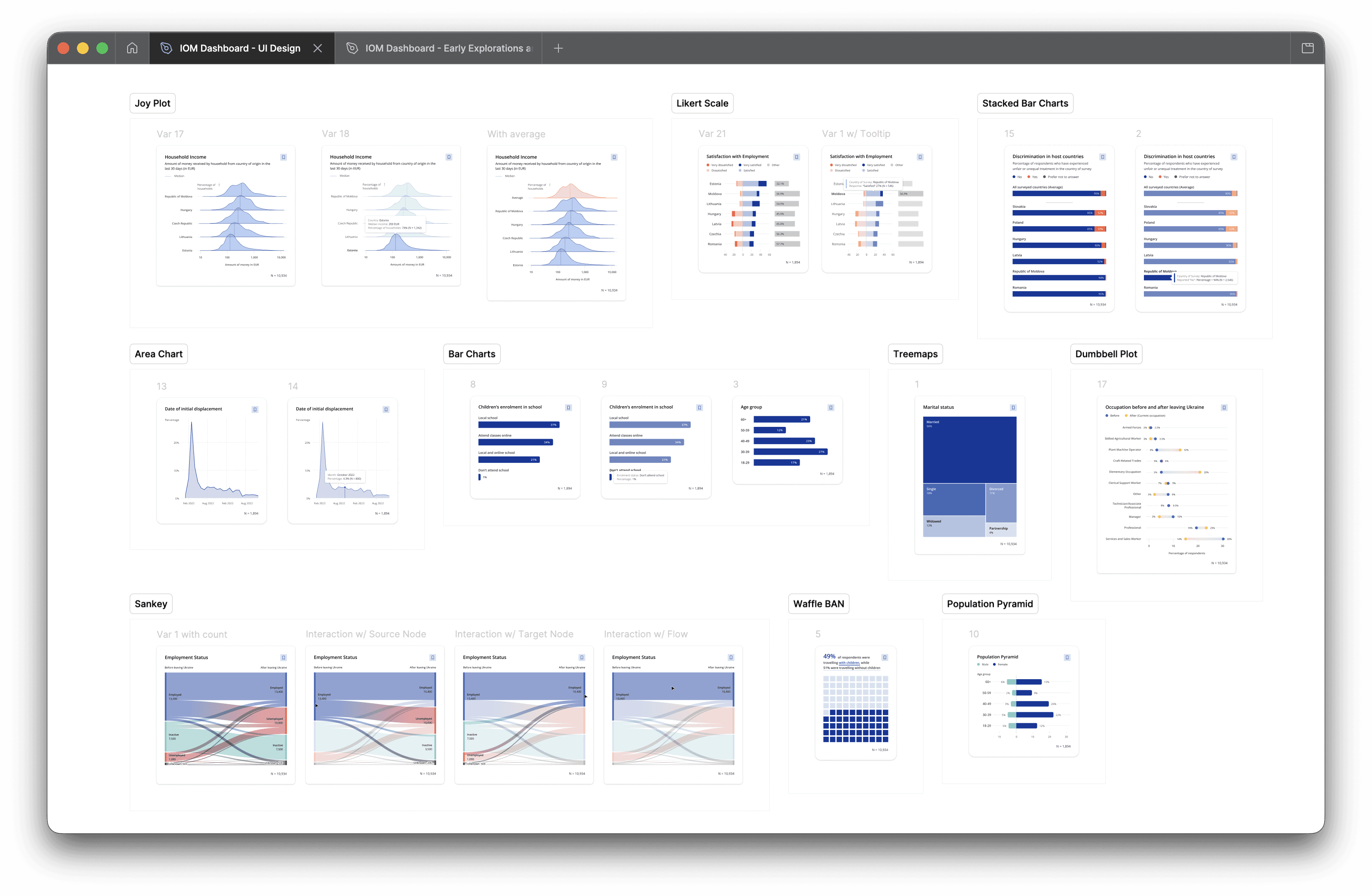
The data visualisation and charting phase took approximately 4 weeks. Each chart’s process typically involved:
Listing an indicator as a task internally on Asana.
Identifying whether the indicator can be disaggregated (by country, sex, employment status, etc.) or not.
In some cases, we were able to combine indicators to depict correlation (e.g. Sankey charts and dumbbell plots depicted respondents’ employment status or occupation before and after leaving Ukraine)
If an indicator was previously visualised in either of the PowerBI dashboards, we would list down its shortcomings and identify a new chart type that would free it of any constraints (e.g. Zoomable packed circle charts allowed us to depict all countries (200+) of TCNs' nationalities, while the PowerBI dashboard was only able to depict the top 15 nationalities)
If the indicator was from new survey data, we would visualise it from scratch.
Generation of new charts using R, Tableau, or RAWGraphs.
Approved charts were then imported to Figma as SVGs for final chart styling, adhering to IOM’s brand guidelines and keeping accessibility in mind.
Styled charts would then be coded using D3.js.

The Result
Our dashboard contains thoughtfully crafted data visualisations and a seamless user experience, making survey data visually intuitive to humanitarian aid workers and key decision makers for relief work in Ukraine.
By granting users the ability to filter and bookmark charts + print custom reports of the data relevant to them, the tool helps expedite their collation and reporting process.
View the live project ↗
My Role
Project manager, lead designer, UI/UX design, data visualisation design.
Tooling

Figma

Asana

RAWGraphs

Google Sheets

SimDaltonism